SpendFlow · iPhone, Android & Web
Your receipts, read and filed — right from your phone
Snap a receipt and AI reads the merchant, totals, tax, card and every line item. SpendFlow files it by card, division and group, shows where the month went, and sends invoices when money is coming in. One account on your phone and on the web.

Also on the web — sign in at app.spendflow.ca
In the app
Everything you need in a receipt scanner app
-
Scan with the camera
Point, shoot, done. Or pick a photo from your gallery, or upload a PDF receipt.
-
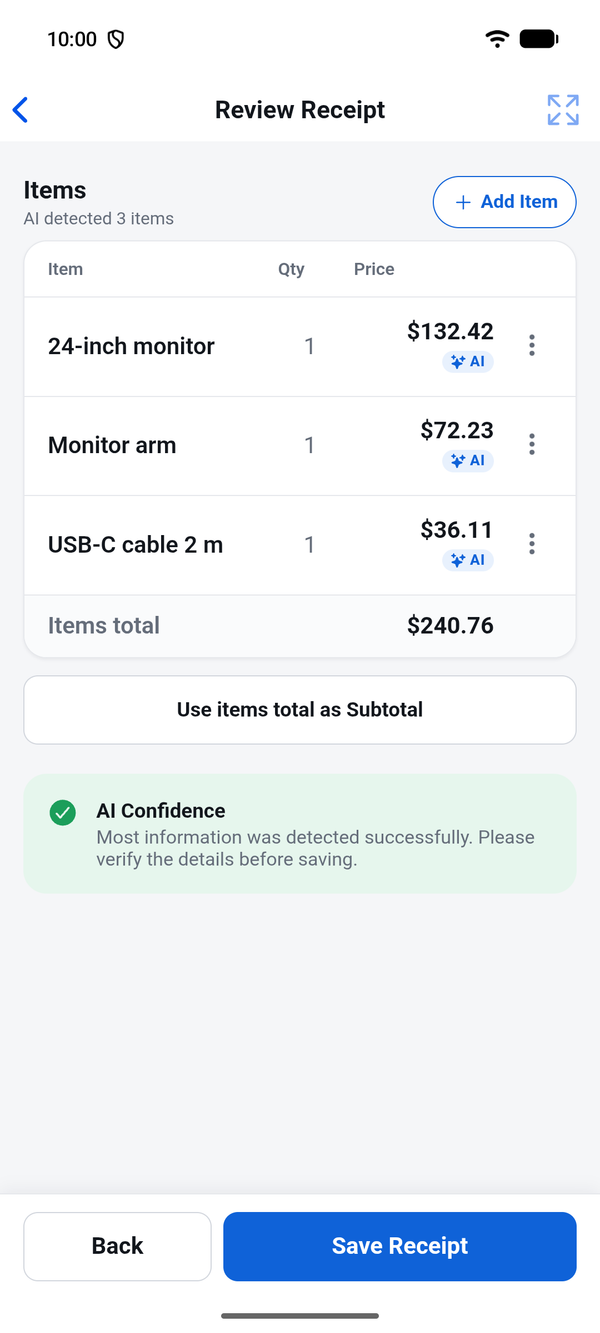
AI reads every line
Merchant, date, subtotal, tax, total, currency, the card you paid with and each item.
-
Bulk upload
Send a stack of receipts at once and let them process in the background.
-
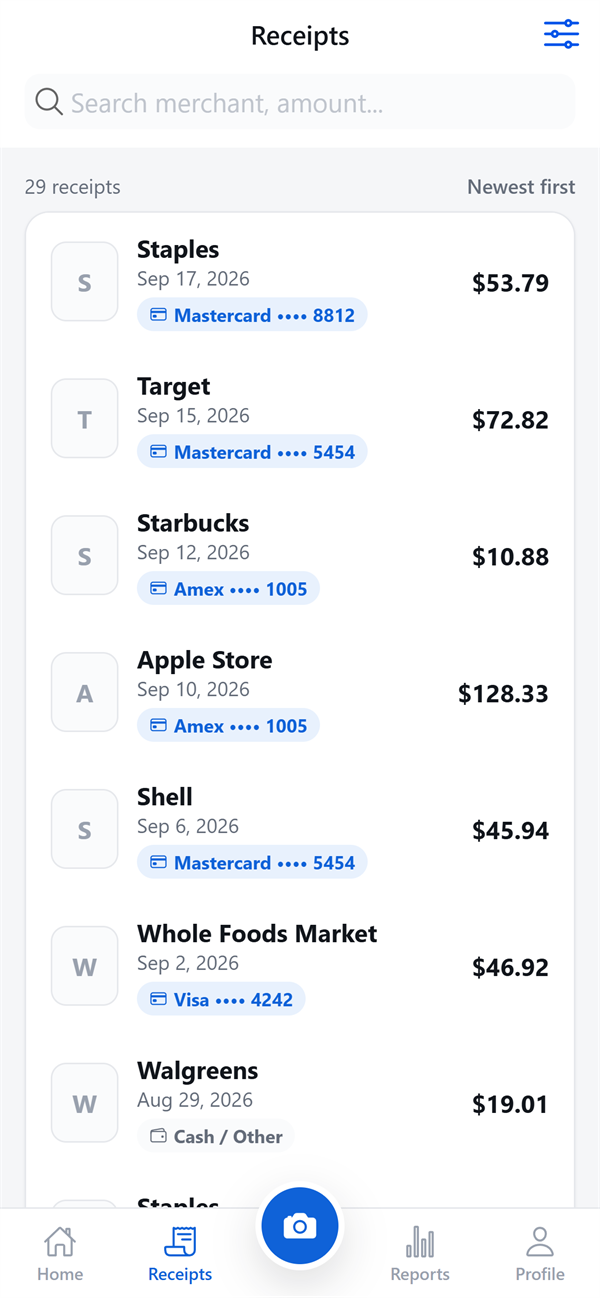
Filed by card
Receipts group by the card that paid — only the last four digits are ever stored.
-
Divisions & groups
Sort spending inside each company. Not sure? The app asks with one tap.
-
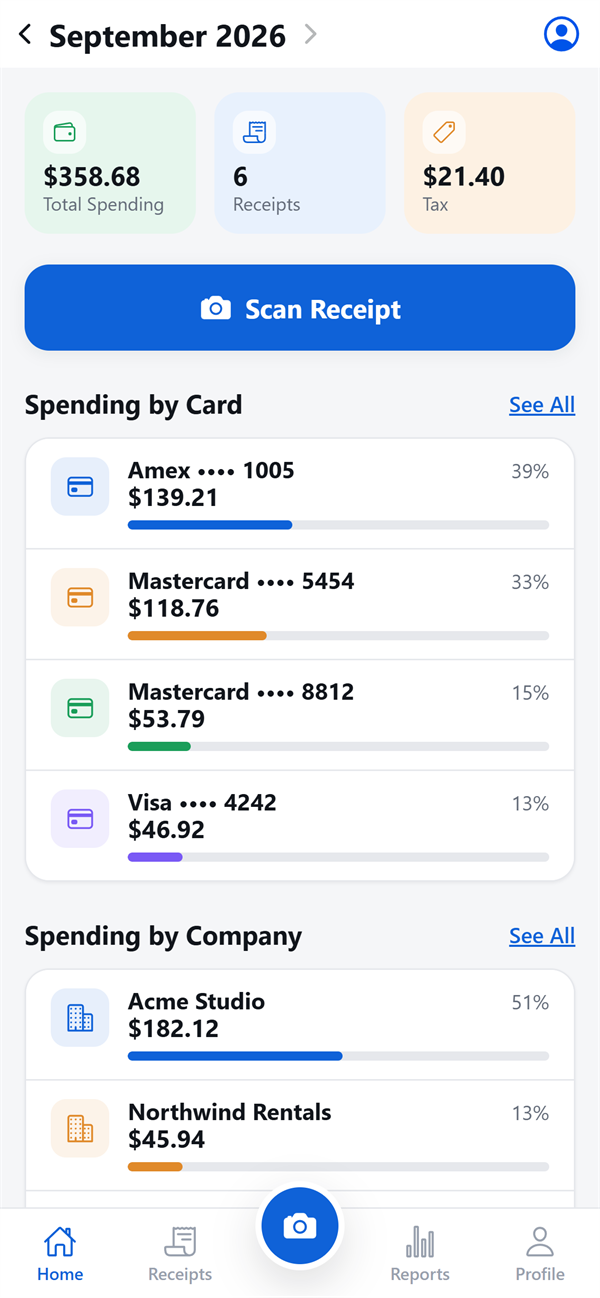
Reports & trends
Where the month went, by card, merchant, division and group.
-
Invoices
With the Invoicing add-on: bill customers, taxes calculated per line, payments tracked.
-
Every company you run
Switch companies in a tap and keep each business on its own books.
-
Accountant workspaces
Clients upload from their phone; their accountant reviews finished records.
Scan
Snap it, and the typing is done
Tap Scan and take a photo. In a few seconds AI fills in the merchant, date, totals, tax, the card and every line item. Check it, fix anything that is off, and save — your correction always wins.
- Camera, photo gallery or PDF
- Line items read, not just the total
- A failed read still saves the receipt
Receipts
Every receipt, searchable
No more shoebox. Every receipt is a clean record with its image, ready to find by merchant, date or amount — on your phone and on the web.
- Search and filter in seconds
- The original image kept with each record
- Private storage — only you and who you invite
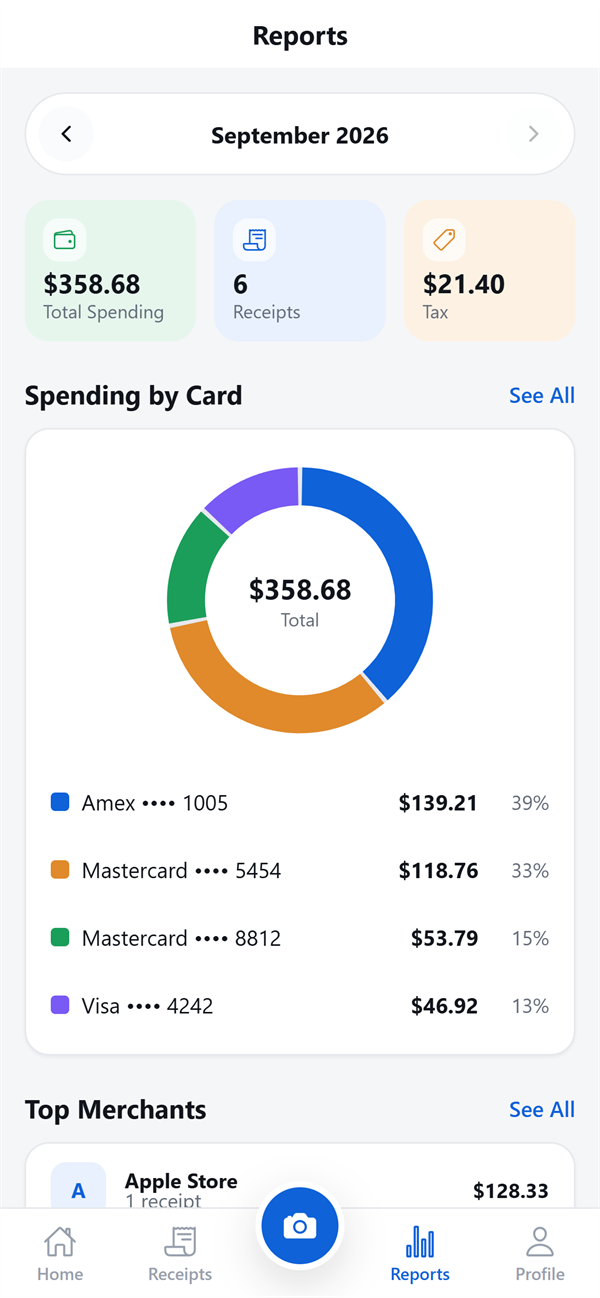
Reports
See where the month went
Monthly reports show spending by card, merchant, division and group, with trends month over month — ready for your accountant, your boss or yourself.
- By card, by merchant, by group
- Month-over-month trend
- Always up to date as you scan
Organize
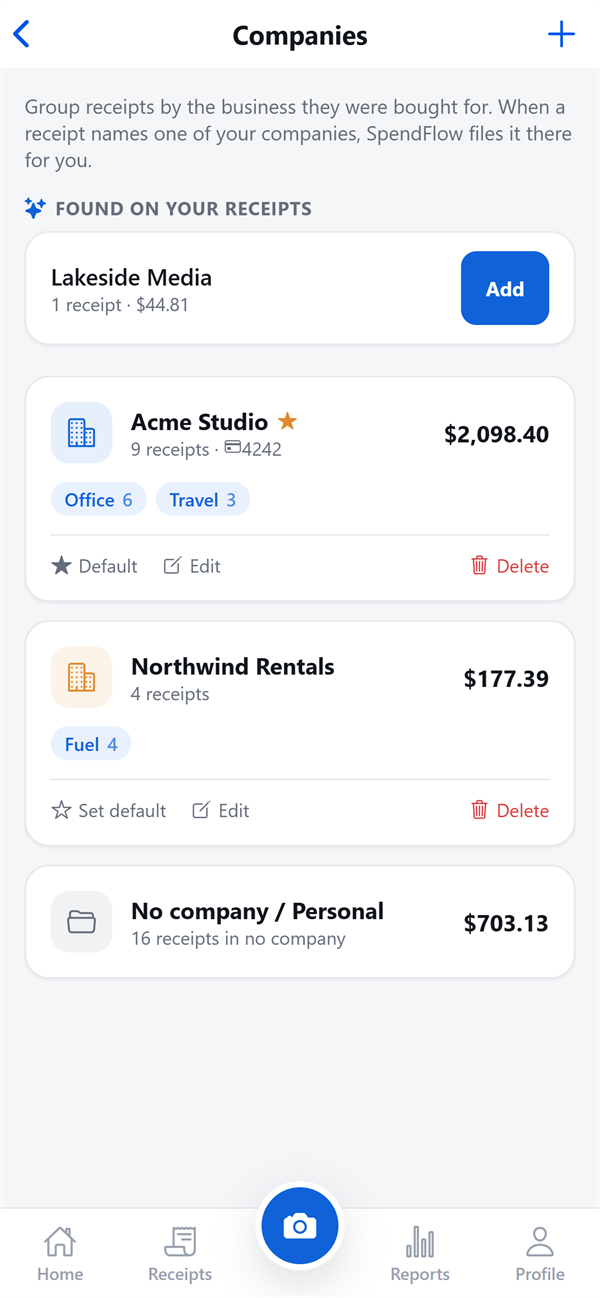
Filed where it belongs
Set up divisions and groups like Lunch or Office once. Card rules file receipts for you, and when the AI is unsure it asks with a single tap — it never invents groups on its own.
- Card rules: “everything on •••• 3456 is Office”
- One-tap answers when the AI asks
- Each company kept on its own books
On the web too
Start on your phone, finish at your desk
The app and the web app are one account. Scan at the till, then open the dashboard, invoices and All Companies view on a big screen — everything is already there.
Sign in on the web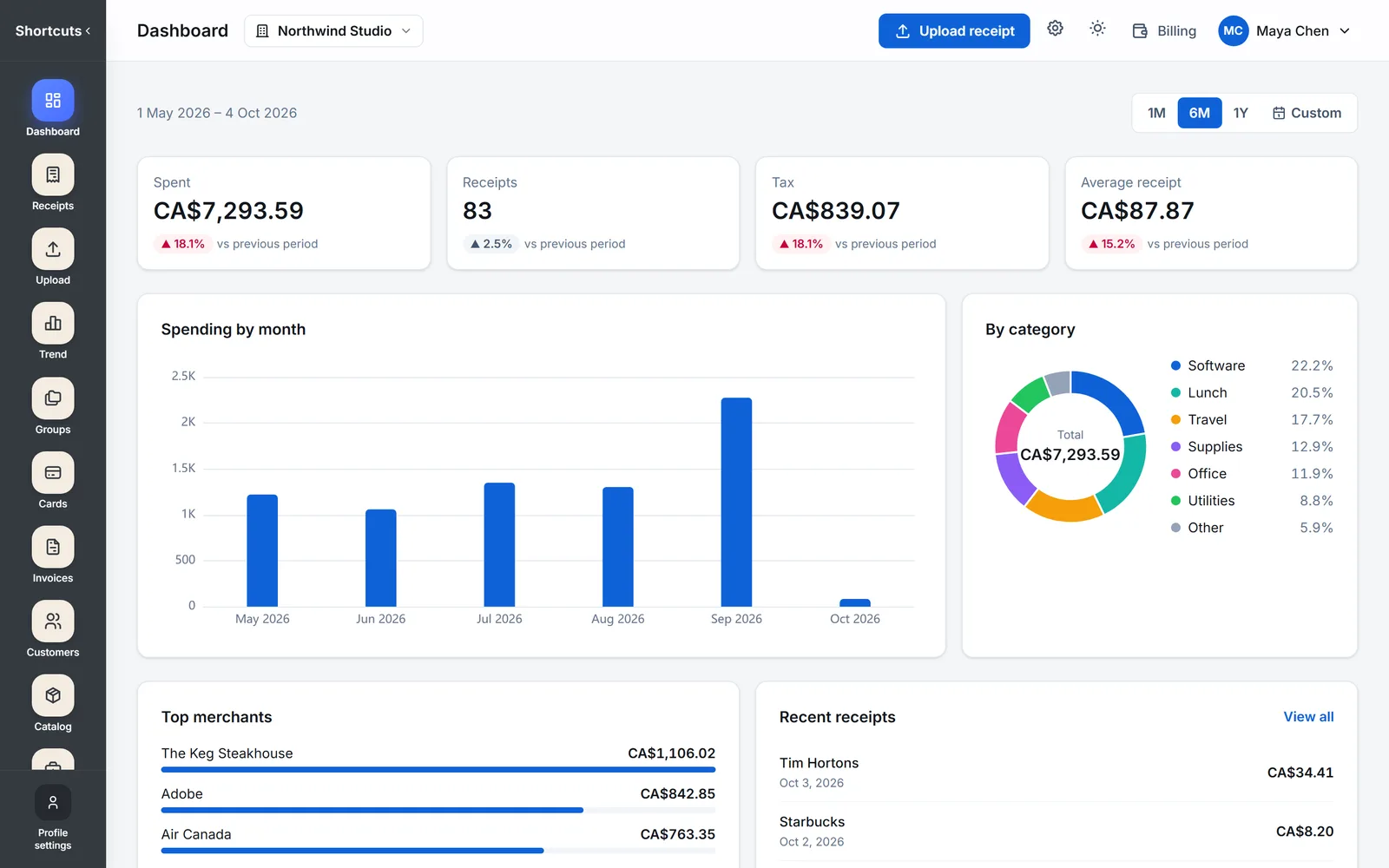
Get started
Up and running in a minute
- 1
Download SpendFlow
Free on the App Store and Google Play.
- 2
Create your account in the app
Sign up with your email right from the sign-in screen. The same account works on the web.
- 3
Scan your first receipt
Tap Scan, take a photo, and watch the AI fill it in.
FAQ
About the app
Is the SpendFlow app free to download? +
Yes. SpendFlow is free to download on the App Store and Google Play. See the pricing page for plans, the free Pro trial and add-ons like Invoicing.
Which devices does it run on? +
iPhone and Android phones, plus any computer with a web browser at app.spendflow.ca.
Do the phone app and the web app share my data? +
Yes. It is one account: receipts you scan on your phone show up on the web, and changes on the web show up on your phone. Sign in with the same email and password.
Can I scan PDF receipts in the app? +
Yes. Besides the camera and your photo gallery, you can upload a PDF receipt — like the ones stores send by email.
Can I send invoices from my phone? +
Yes, with the Invoicing add-on turned on. Create invoices for your customers from your products and services; each tax is calculated per line, and payments — partial ones too — are tracked.
Is my card number stored? +
Only the last four digits — ever. Even if a full card number is printed on a receipt, SpendFlow keeps the last four and nothing else.
My accountant uses SpendFlow. Do I need the app? +
It is the easiest way. Accept your accountant’s invitation, then scan receipts, bills and invoices from your phone; they land in the workspace your accountant keeps for you.
Ready to stop losing receipts?
SpendFlow for iPhone and Android.