Receipts in. Invoices out. Taxes done.
SpendFlow does the typing for you. Snap a receipt and AI files it by card, division and group. Invoice your customers and VAT, GST or sales tax is calculated line by line. Accountants invite clients into their own workspace — and the receipts arrive on their own.
0
taps from scan to saved
0
card digits — all we ever keep
0
place for every receipt
Expenses, invoices and clients — without the shoebox
Receipts fade, get lost in pockets, and pile up until the end of the month — when someone needs them all at once. SpendFlow turns each one into a clean, searchable record the moment you get it.
Scan a receipt and AI reads the merchant, the date, the subtotal, tax and total, the card you paid with, and every line on it. SpendFlow files it by card automatically, and into the division and group it belongs to — using your own card rules, or asking you with a single tap when it is not sure.
Buy for more than one business? Keep each business apart as its own company, and file receipts into divisions and groups inside it. At the end of the month, reports show spending by card, merchant, division and group — ready for your accountant, your boss, or yourself.
Money coming in, too? Turn on Invoicing to bill customers for products and services. Save your tax rates once, and every invoice works out each tax and the total — then tracks what has been paid and what is overdue.
And if you are the accountant: create a workspace for each client and invite them. They upload receipts, bills and invoices from their phone or browser; SpendFlow reads and files them; you review finished records instead of chasing paper.
How it works
From paper to report in four steps
-
Step 1
Snap
Tap Scan and take a photo — or pick one from your gallery, or upload a PDF.
-
Step 2
AI reads it
Merchant, date, totals, tax, card, and every line item, in a few seconds.
-
Step 3
Check & save
Fix anything that is off. Your correction always wins.
-
Step 4
See the month
Spending by card, merchant, division and group — always up to date.
Capture
Snap it, and AI does the typing
Scan with your camera
Point, shoot, done. A raised Scan button is always one tap away, and the flow ends back where you were.
Gallery & PDF receipts
Import a photo you already took, or upload the PDF receipt a store emailed you.
AI receipt reading
AI reads the merchant, date, time, subtotal, tax, total, currency, payment method, and the card used.
Line items
Every item on the receipt — quantity, unit price, and line total — ready to review and edit.
Review before you save
Check what the AI read, fix anything it got wrong, and your correction is never overwritten.
Multi-page scanning
The phone app finds the receipt’s edges, straightens it, and joins a long receipt’s pages into one PDF.
Bulk upload
Drop up to 100 receipts at once on Pro and Enterprise — on the web or from your phone’s photos and files — and watch each one get read.
Organize
Filed for you, the way you think
By payment card
Receipts group themselves by the card they were paid with — Visa •••• 1234, Mastercard •••• 9876.
Companies
Each business gets its own books — receipts, invoices, customers, currency and fiscal year — and on the web a header switch moves between them.
All Companies
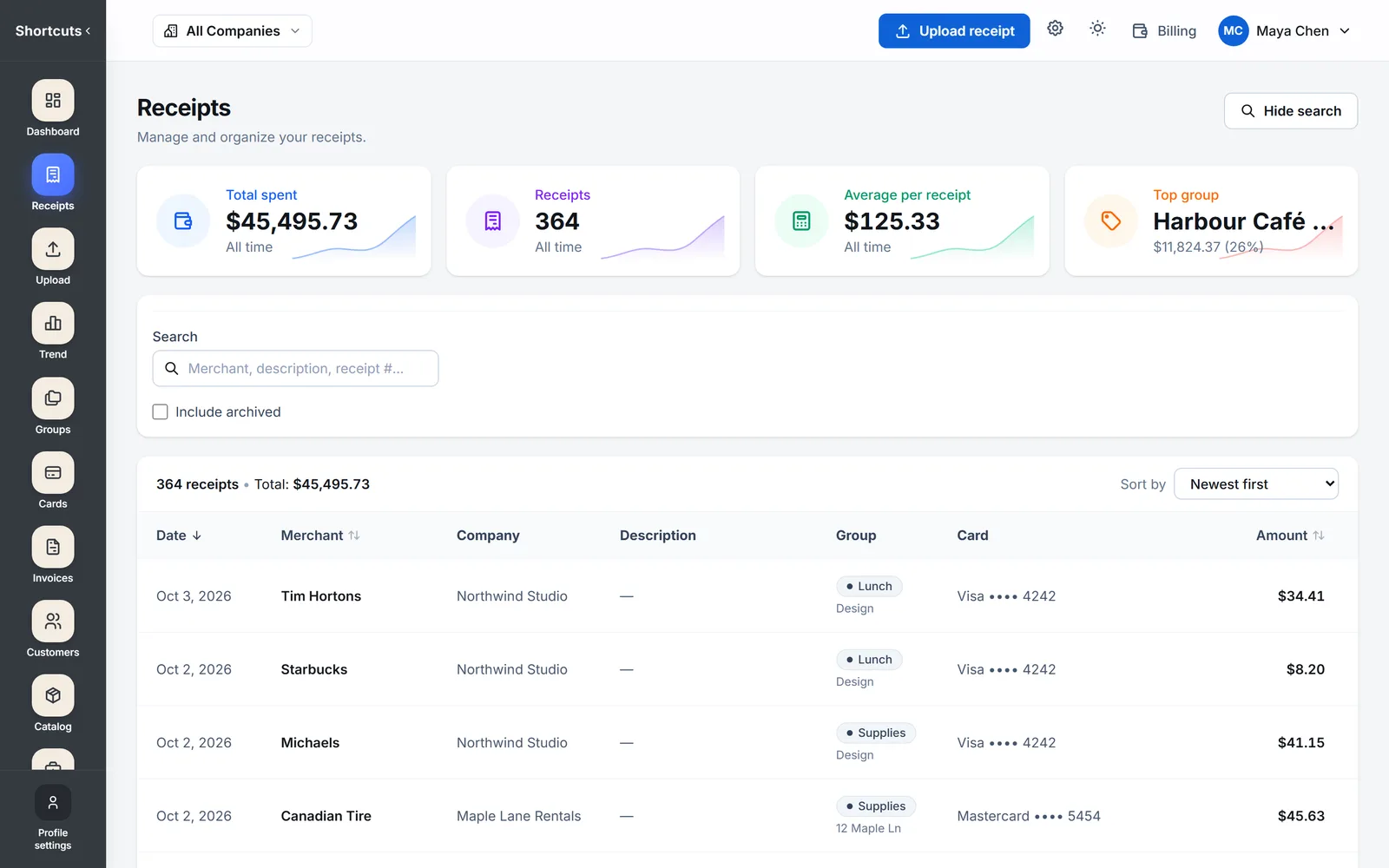
See receipts, invoices, customers and the dashboard across every company at once on the web, then open any row in its own company.
Divisions & groups
Inside a company, file by division — a site, a team, a brand — and by group like Lunch, Office or Fuel.
Card rules
Say "anything on •••• 3456 is Office" once, and every receipt on that card files itself.
"Is this Lunch?"
When a receipt could go more than one way, SpendFlow asks — one tap to answer, and it remembers.
Search & filters
Find any receipt by merchant, card, division, group, month, date range, or amount.
Reports
See where the month went
Dashboard
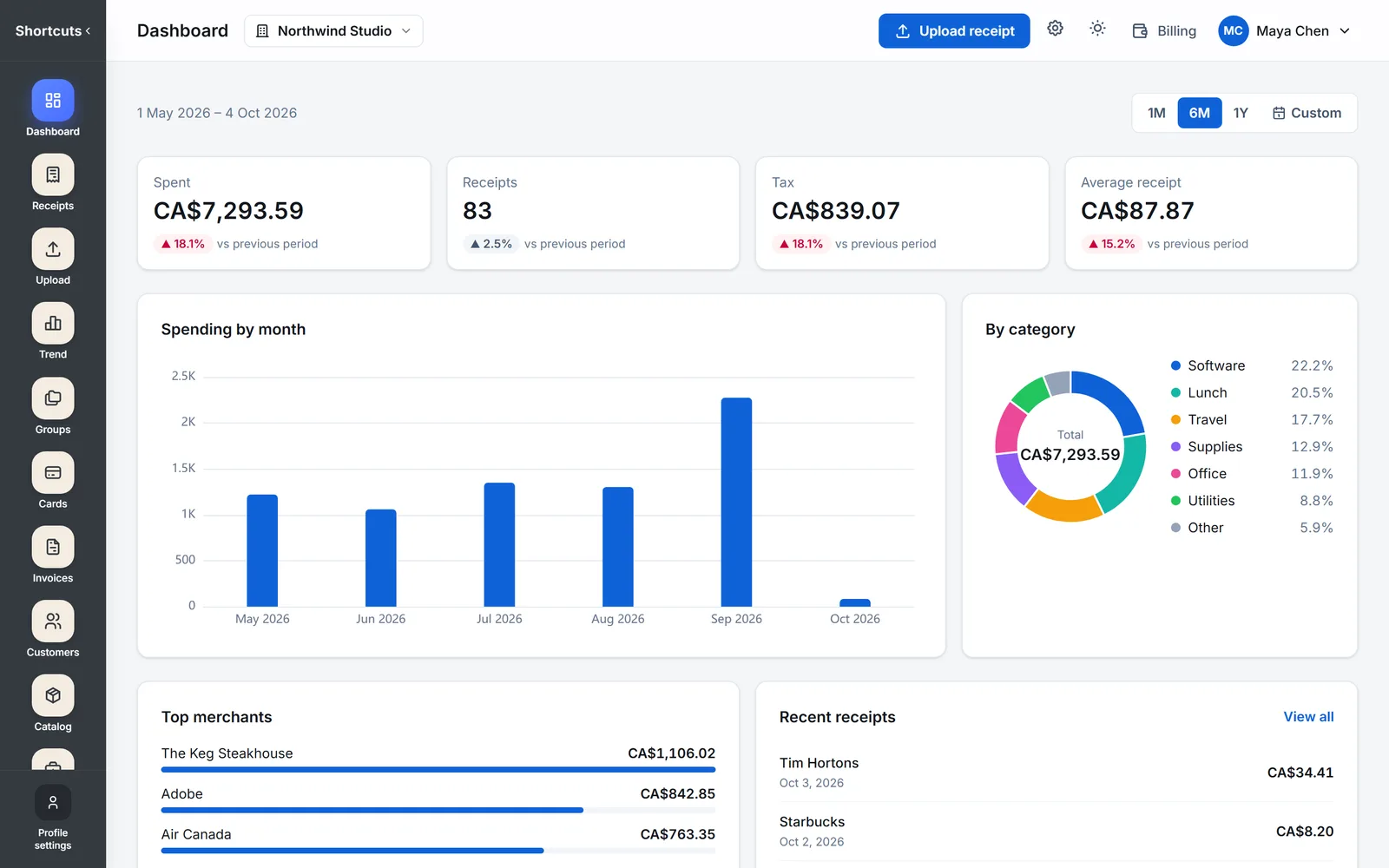
On the web: spending, tax and receipt counts for any period, with the change from the last one, top merchants and a breakdown by group.
Spending trend
On the web: spending by day, week, month or quarter, stacked by group, compared with the period before — click a bar to see its receipts.
Monthly summary
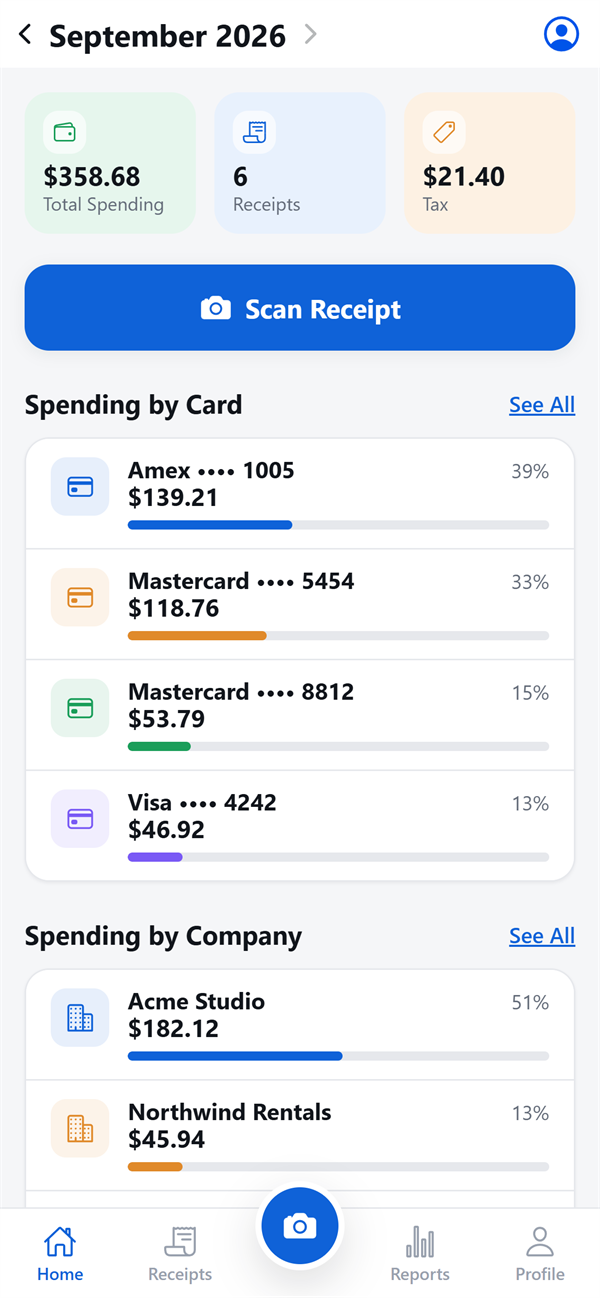
Total spent, tax, and receipt count for the month, on your home screen.
Spending by card
How much went on each card this month, including receipts with no card read.
By merchant
Where you spend the most, ranked.
By division & group
What each division spent, and what went on lunch versus the office.
Invoicing
Bill your customers — the tax does itself
Invoices in minutes
Pick a customer, add products and services from your catalog, and the invoice is built line by line.
Taxes calculated for you
Save your rates once — VAT, GST, sales tax, or two at once like GST + PST. Each line carries its taxes, and the invoice totals every tax separately.
Products & services
Keep what you sell and the work you bill — parts, hours, visits — with a price and default taxes, ready to reuse.
Customers on file
Names, contacts and billing addresses saved once, filled in on every invoice.
Payments, even partial ones
Record each payment as it comes in. SpendFlow works out what is paid, partly paid, and still owed.
Outstanding & overdue
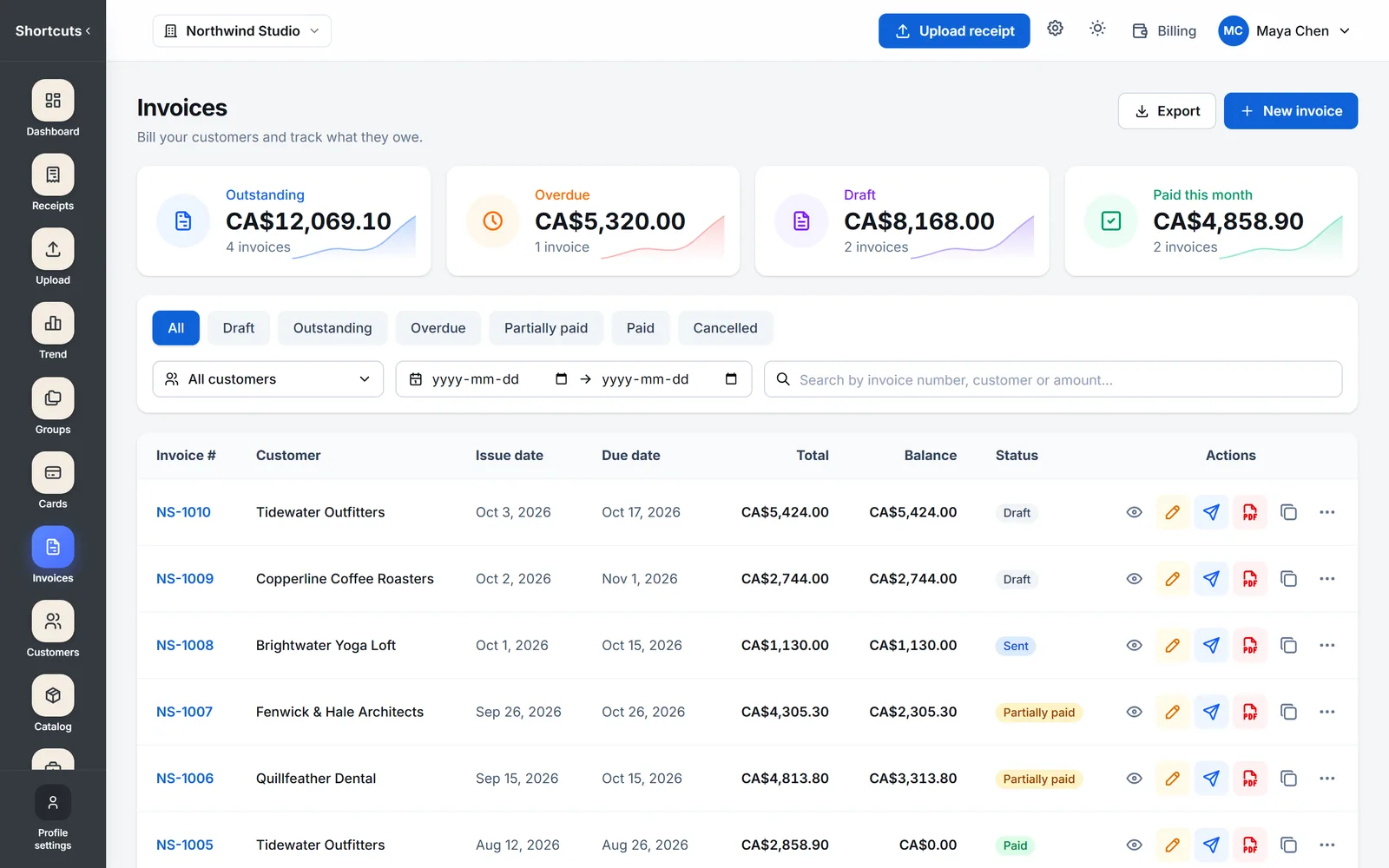
See at a glance how much customers owe you, and which invoices are past due.
PDF invoices, emailed
Send the invoice as a PDF straight from SpendFlow, with a Cc and your own message — or download it.
A link to share
Share a private link your customer opens without an account, to see the invoice and download the PDF.
Five invoice looks
Classic, Modern, Minimal, Bold or Compact — with your logo, a QR code, signature lines, A4 or Letter.
For accountants
A workspace per client, receipts that arrive on their own
A workspace for every client
Each client gets its own receipts, divisions, groups, cards and reports — never mixed with another client’s.
Invite your clients
Send an email invite. Your client and their staff sign in and upload receipts, bills and invoices — by camera, photo or PDF.
AI does the data entry
Every upload is read into totals, tax and line items, and filed by your card rules — before you open it.
Uploaders see only their own
Client staff upload and, if you allow it, see what they uploaded themselves — never a colleague’s receipts or the books.
Review, correct, report
Fix what the AI read, set up the client’s divisions and groups, and run every report — spending, tax and cards.
Private notes per client
Keep a note on each workspace — "year end March, VAT quarterly" — that the client never sees.
Teams
One plan for the whole team
Up to 10 people
Enterprise adds up to 10 people to your plan, each invited by email.
Up to 5 companies
As the owner, keep up to 5 companies on the plan, each with its own books, all on one bill.
One bill
One subscription and one invoice for the whole team.
Trust
Private by design
Card data stays safe
Only the last four digits of a card are ever stored — even if a full number is printed on the receipt.
Your receipts are yours
Receipt images live in private storage and are only served to your account and the people you invite.
Password-free sign-in
Sign in with a secure one-time link sent to your email — or use your password.
Nothing lost to a hiccup
Your receipt is saved before the AI reads it, so a failed read never costs you the photo. Re-read any time.
Inside the app
This is what you get
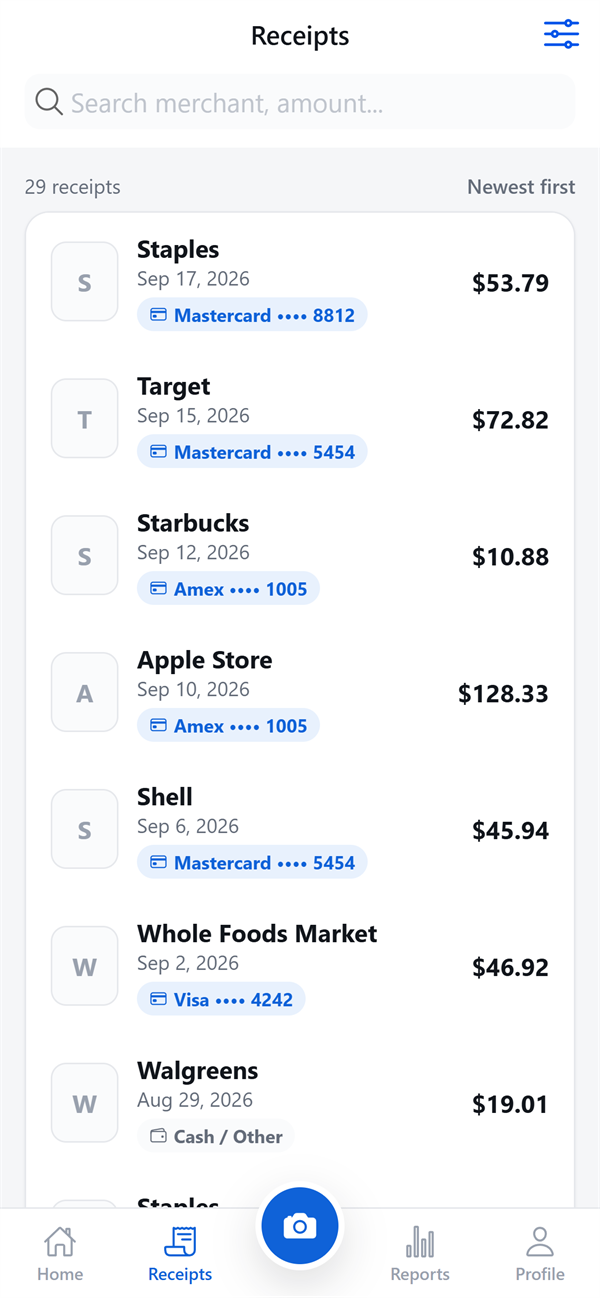
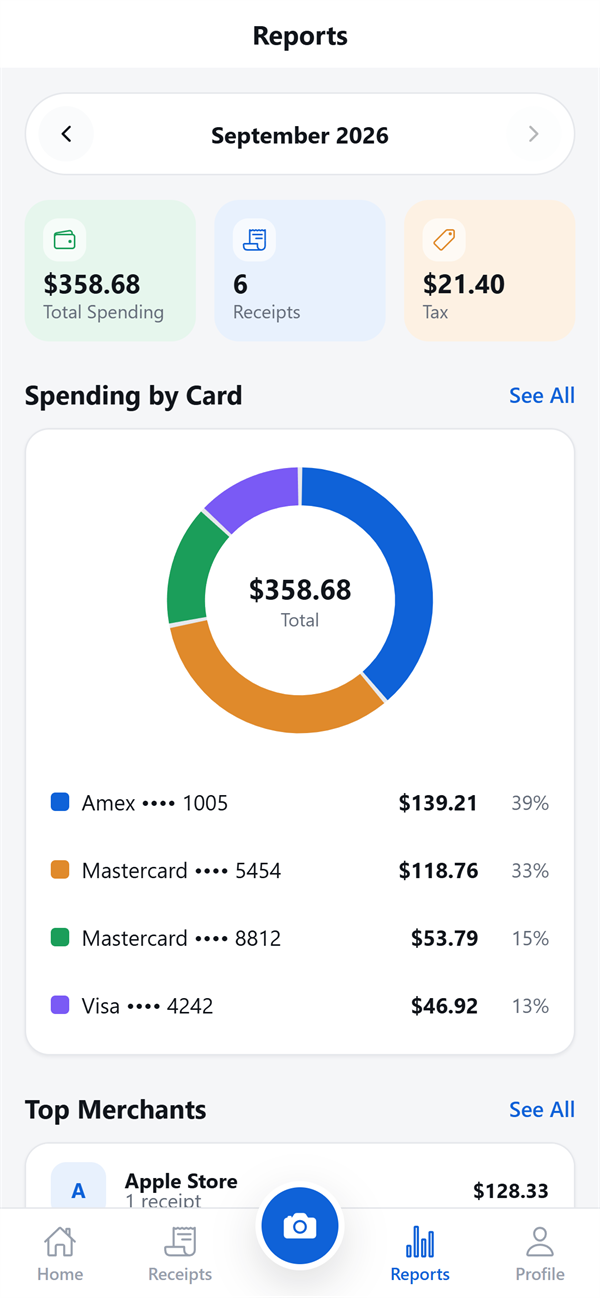
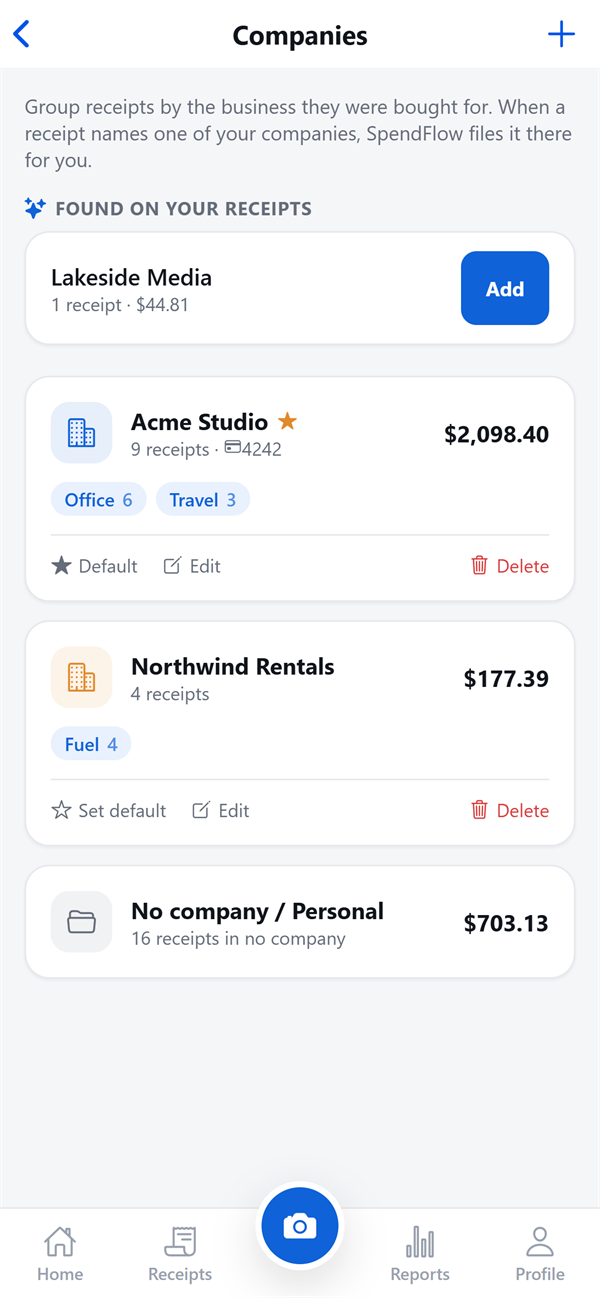
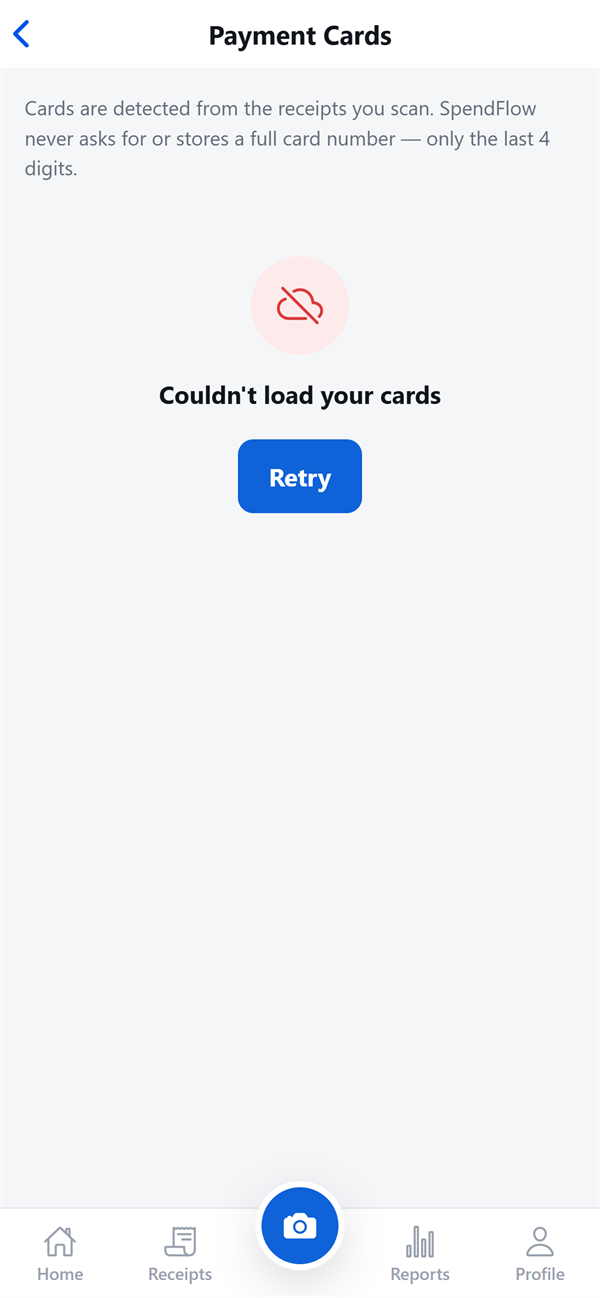
Screens from the SpendFlow app. Receipts shown are a demo account.
On the web
Dashboard, invoicing and All Companies live in the web app, alongside everything on your phone.
Who it’s for
Built for anyone with receipts to keep — or invoices to send
From the blog
Receipts, expenses and records
The Best Way to Track Business Expenses on Your Phone
Spreadsheets, bank feeds or a receipt scanner app? How each way of tracking business expenses works, what it misses, and how to pick the right one for you.
How Long Do You Need to Keep Receipts in Canada?
The CRA's six-year rule for business records, where you must keep them, whether scanned receipts count, and how to request early destruction.
How Long Should You Keep Receipts for the IRS?
The IRS record retention periods — 3, 4, 6 and 7 years and indefinitely — when each applies, and the $75 receipt rule for travel expenses.
FAQ
Frequently asked questions
What is SpendFlow? +
SpendFlow is an AI receipt and invoicing app. Snap a photo of a receipt, and AI reads the merchant, date, totals, tax, the card you paid with, and every line item. Receipts are filed by card, division and group, monthly reports show where your money went, and the Invoicing add-on bills your customers with taxes calculated for you.
Who is SpendFlow for? +
Freelancers, small-business owners and trades who track expenses and invoice customers; people who run more than one business; and accountants and bookkeepers who collect receipts from their clients.
How does invoicing work? +
Turn on the Invoicing add-on, save your tax rates (for example VAT 20%, GST 10%, or two at once like GST 5% + PST 7%), and add your products and services. Build an invoice by picking items for a customer; each line carries its taxes, and SpendFlow totals every tax and the invoice. Record payments as they arrive — partial payments included — and see what is outstanding or overdue.
How does SpendFlow work for accountants? +
Create a workspace for each client and invite the client and their staff by email. They upload receipts, bills and invoices; the AI reads and files each one into the client’s own divisions and groups. You review, correct and run reports. Client staff only ever see what they uploaded themselves.
How does the AI read my receipts? +
SpendFlow uses Google Gemini to read each receipt. It extracts the merchant, receipt number, date and time, subtotal, tax, total, currency, payment method, card type, the last four digits of the card, and the line items. You review the result before saving, and you can correct anything.
What if the AI gets something wrong? +
Edit it. Your correction is marked as yours, and a later re-read of the receipt never overwrites it. If a read fails completely, the receipt is still saved — you can re-read it any time.
Can I scan PDF receipts? +
Yes. Besides the camera and your photo gallery, you can upload a PDF receipt — like the ones stores send by email.
How does SpendFlow organize receipts? +
Automatically by payment card, and by division and group when you use them. Companies keep each business apart on its own books; divisions and groups like Lunch or Office sort spending inside a company. Card rules let you say "everything on •••• 3456 is Office" once.
Will the AI create divisions or groups on its own? +
No. The AI only files receipts into divisions and groups you created. When a receipt matches none of them, SpendFlow asks — "Is this Lunch?" — and one tap answers it.
Is my card number stored? +
Only the last four digits — ever. Even if a full card number is printed on a receipt, SpendFlow keeps the last four and nothing else.
Who can see my receipts? +
Only you — and anyone you invite. Receipt images are kept in private storage, and every receipt, card and report is tied to your account or to the workspace your accountant keeps for you.
Does SpendFlow work in my country? +
Yes — SpendFlow works worldwide. It reads receipts in any currency and number format — $12.40, 12,40, 1,234.56 or 1.234,56 — and you can set a default currency.
Who makes SpendFlow? +
SpendFlow is built and published by OneSoftWay, the team behind TryRentGo.
Ready to stop losing receipts?
SpendFlow for iPhone and Android.